
SaaS Migration Pages: What to Include and How to Structure Them
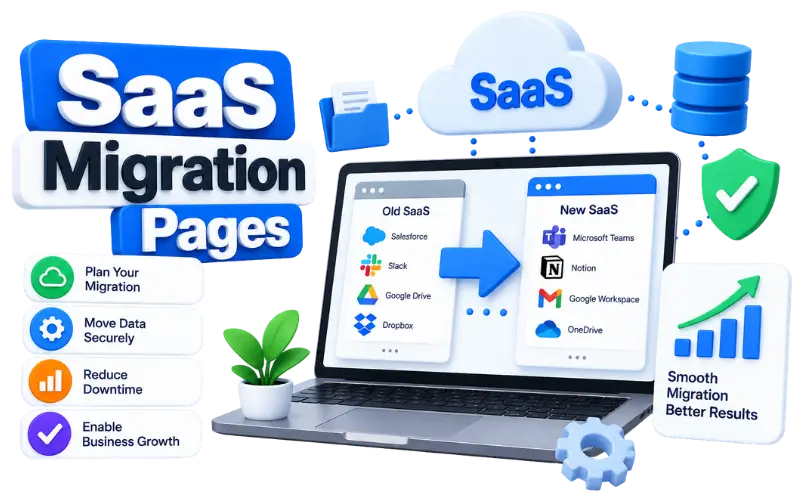
An alternative-product search often indicates that someone is comparing available options. A migration-related search usually focuses on a more specific question: how data, settings or workflows can be transferred from one platform to another.
A SaaS migration page addresses this question by explaining what the product can transfer, how the process works and what the customer should prepare before switching.
Migration and Alternative Pages Answer Different Questions
An alternatives page compares available products. It can cover features, pricing, customer requirements and differences between platforms.
A migration page focuses on moving from one product to another.
For example:
- Alternative search:
alternatives to CRM Alpha - Comparison search:
CRM Alpha vs CRM Beta - Migration search:
migrate from CRM Alpha to CRM Beta - Task search:
import CRM Alpha contacts into CRM Beta
Avoid forcing all these search intents into one page when each requires substantially different information. Create separate pages when the comparison, alternatives and migration topics need different answers. Link the pages together when each one offers distinct information.
Explain What Can Be Transferred
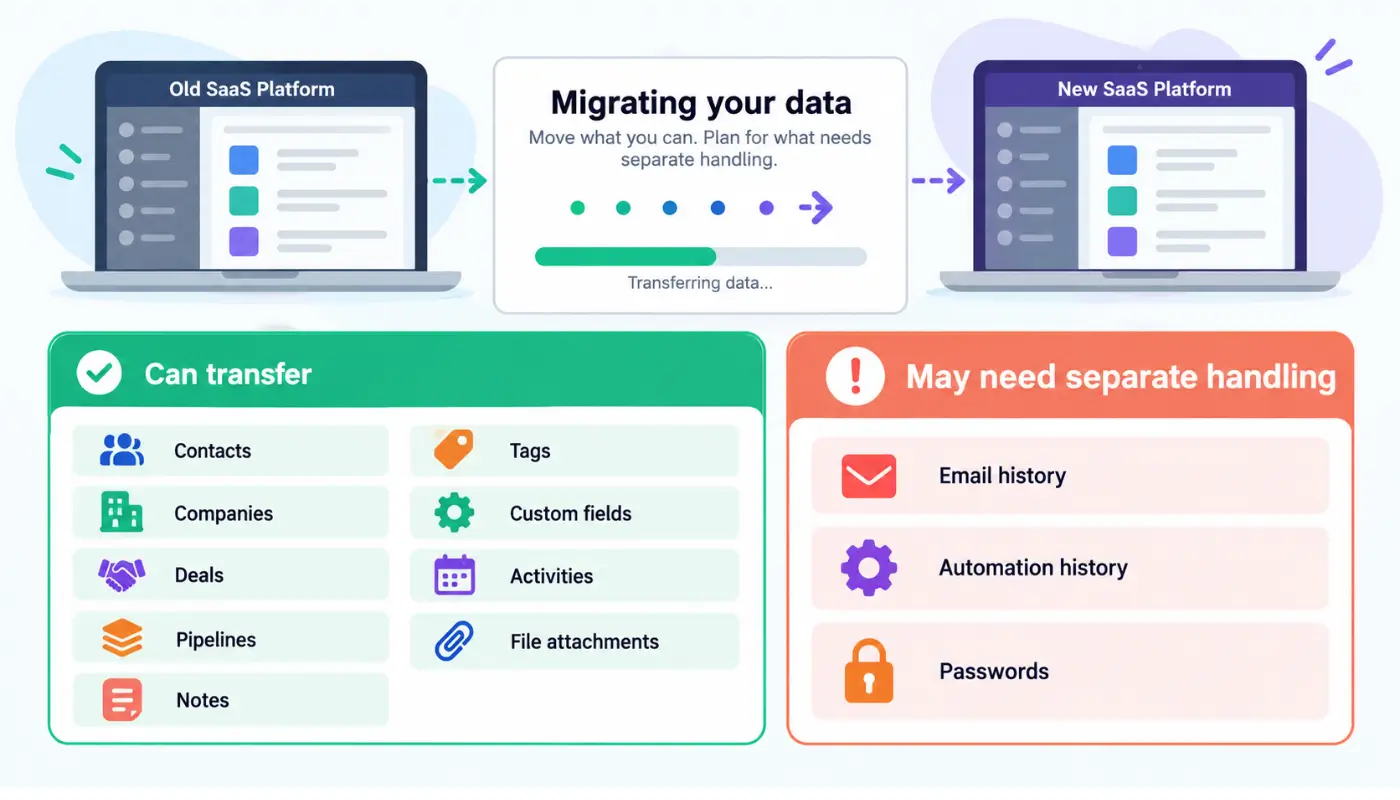
A migration page should identify the supported data instead of relying on a broad phrase such as “seamless migration.”
For a CRM platform, transferable data could include:
- Contacts
- Companies
- Deals
- Pipelines
- Notes
- Tags
- Custom fields
- Activities
- File attachments
The page should also explain relevant exclusions. Depending on the products and available importer, past email conversations, automation histories or user passwords might require separate handling.
If field mapping requires manual work, state that clearly. Accurate limitations help customers prepare for the transfer and can prevent avoidable import errors.
Show the Actual Migration Process
The instructions should reflect the actual workflow for the product and the type of data being transferred.
A typical SaaS migration could involve:
- Exporting data from the existing platform
- Preparing the data in a supported file format
- Matching existing fields with their new destinations
- Importing a small test file
- Reviewing rejected or incomplete records
- Importing the complete dataset
- Checking record counts and transferred information
- Reconnecting relevant integrations
- Setting up user accounts and permissions
Add screenshots when users need to follow steps within the product interface. Include confirmed file formats, upload limits and estimated processing times when the product team provides this information.
Create Separate Pages When the Process Changes
Avoid producing numerous pages by changing only the competitor’s name.
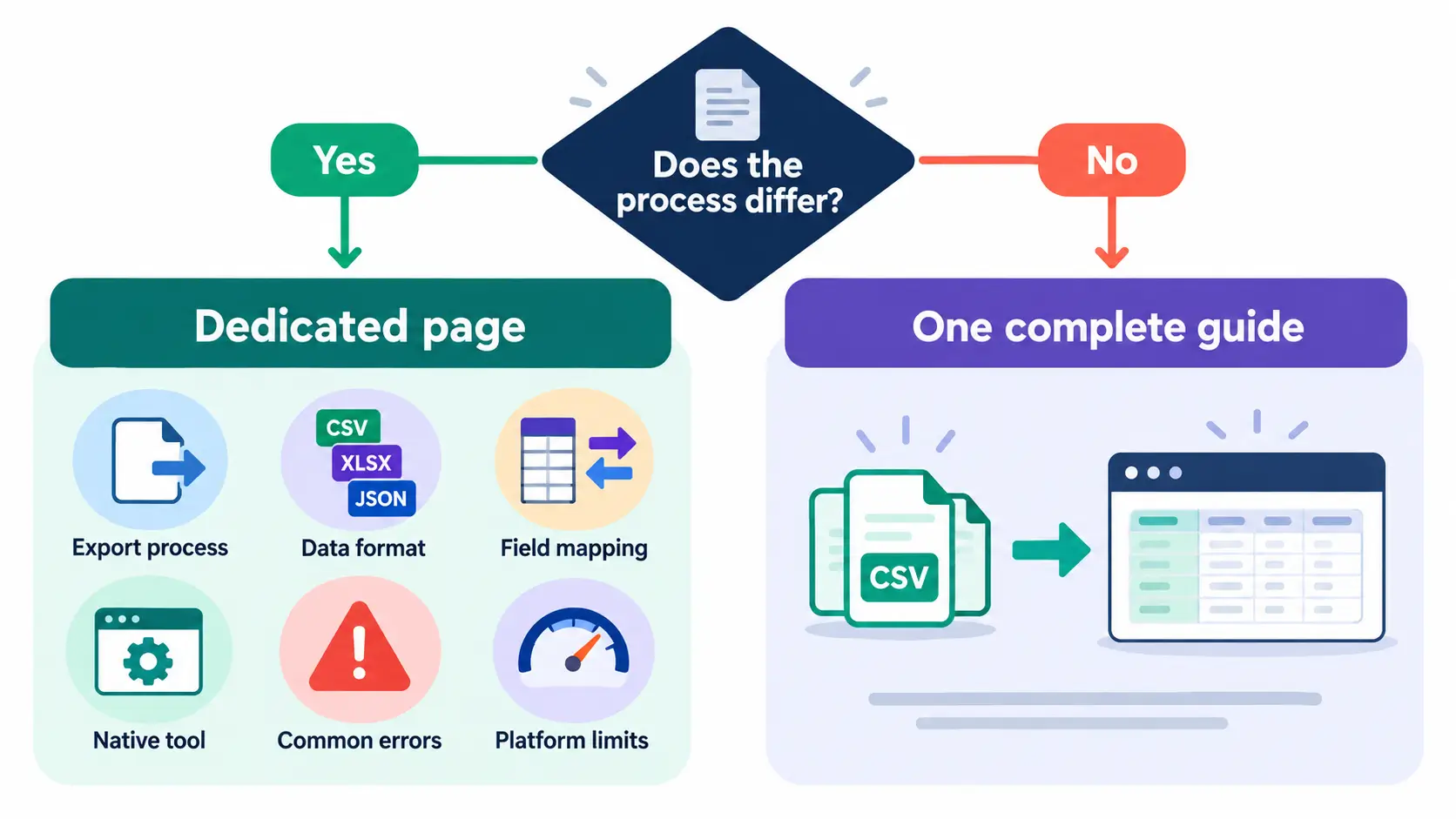
Consider a dedicated migration page when the source platform has:
- A distinct export process
- A different data format
- Specific field-mapping requirements
- A native migration tool
- Common transfer errors
- Platform-specific limitations
If several platforms use the same generic CSV import process, one complete migration guide could provide more value than several nearly identical pages.
Google defines scaled content abuse as generating many pages primarily to manipulate search rankings rather than help users. Therefore, the concern is not the page count by itself. The purpose, originality and usefulness of the pages also matter. Review the current Google Search spam policies before expanding migration content.
Example of a Migration Page
Consider two fictional CRM platforms named TrackBoard and FlowDesk.
A page titled Migrate From TrackBoard to FlowDesk could include:
- Data supported by the direct importer
- Data requiring CSV transfer
- Information that cannot be transferred
- Permissions needed in both accounts
- Export instructions for TrackBoard
- Import instructions for FlowDesk
- A field-mapping example
- A checklist for verifying transferred data
- Common errors and solutions
- Available support options
- A link to the product comparison
A field-mapping example could show:
| TrackBoard field | FlowDesk destination |
|---|---|
| Account name | Company name |
| Account owner | Record owner |
| Deal value | Opportunity amount |
| Close date | Expected close date |
This information helps the customer understand the transfer process more clearly than a general statement claiming that switching is quick.
Avoid Unsupported Migration Claims
Do not use phrases such as “zero data loss,” “one-click migration” or “complete transfer” unless the product supports those claims under clearly stated conditions.
Replace a broad promise with specific information:
The CSV importer supports contacts, companies and open deals. File attachments must be uploaded separately.
This statement tells the customer what the importer handles and what requires additional work.
Measure Migration-Page Performance
Use Search Console to review queries containing terms such as migrate, move, transfer, import and switch.
Analytics can track visits to migration documentation and related actions such as trial registrations or demo requests. Product data can measure completed imports when the required tracking is available.
Sales and onboarding teams can also document migration questions raised by potential customers. Repeated questions can identify details that need to be added or clarified on the page.