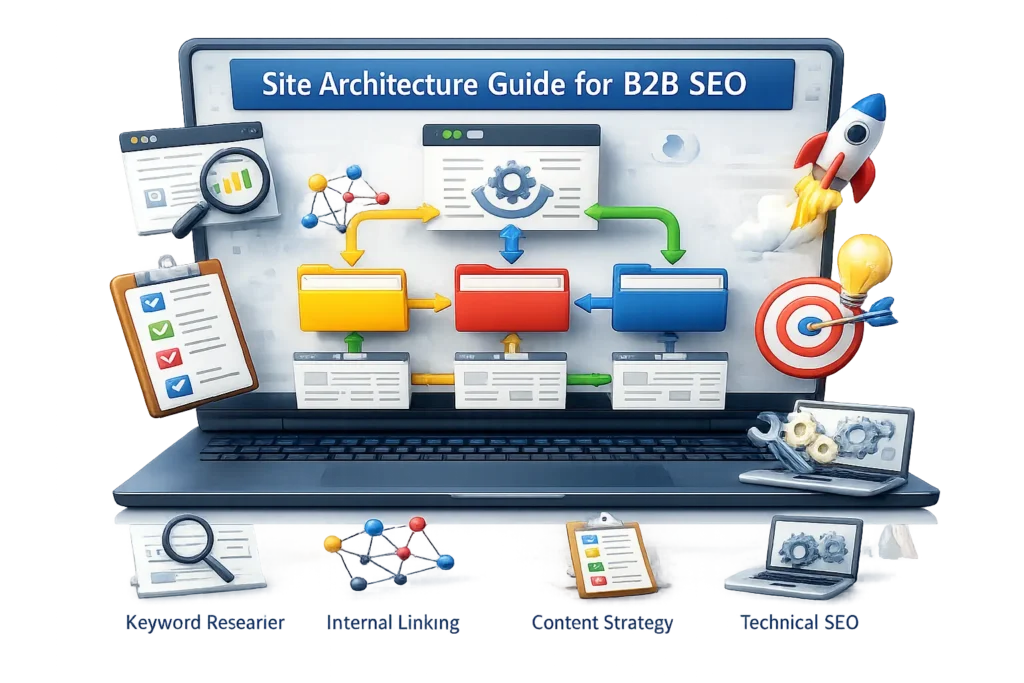
Complete B2B Technical SEO Guide for Better performance
A B2B website often supports a long buying process. Buyers may visit service pages, solution pages, case studies, and contact pages before making an enquiry.
Technical problems sometimes interrupt this journey. Search engines can struggle to reach an important page, while a slow or broken form creates friction for buyers.
B2B technical SEO focuses on removing these barriers. It makes important pages easier to access and supports the path towards a demo, quotation, or consultation.
What Technical SEO Means for a B2B Website
Technical SEO covers the setup that allows search engines to crawl, render, understand, and index a website.
For a B2B company, the goal is not to get every available URL indexed. The priority is making commercially important pages accessible.
Technical improvements should also support the buyer journey. Pages need to work properly on different devices and provide a clear route towards relevant information.
Main Elements of B2B Technical SEO
1. Crawlability of Important B2B Pages
Crawlability means whether search engines can reach a page by following links.
On larger B2B websites, important pages sometimes sit deep inside service or industry sections. A solution page becomes harder to discover when few internal links point to it.
Start by checking whether search engines can reach:
- Main service pages
- Product and solution pages
- Priority industry pages
- Pricing or quotation pages
- Case studies
- Demo and contact pages
Link these pages from relevant parts of the website. Fix broken links and remove unnecessary redirect chains.
Crawl budget is mainly relevant to large websites with thousands of URLs. According to Google Search Central, large numbers of duplicate or low-value URLs can affect crawling efficiency.
2. Indexability and Page Purpose
Crawling and indexing are different processes.
Crawling means that a search engine can access the page. Indexing means the page is eligible to be stored and considered for search results.
Not every B2B page needs to appear in search. Service and solution pages usually have a clear search purpose. Thank-you pages and temporary campaign pages serve a different function.
B2B websites commonly collect URLs such as:
- Old webinar registration pages
- Expired campaign pages
- Duplicate service variations
- Thin author or tag archives
- Demo confirmation pages
- Outdated event pages
Use Google Search Console to check which URLs are indexed. Its Page Indexing report explains why other URLs have been excluded.
Keep pages that serve a useful search or buyer need. Improve, merge, redirect, noindex, or remove pages without a clear purpose.
Do not block a page in robots.txt when you need Google to process its noindex tag. Google must crawl the page before it can read that instruction.
3. B2B Site Structure
Site structure shows how different page groups connect.
A B2B website generally contains services, solutions, industries, resources, and case studies. These sections should follow the way buyers research the offering.
A clear site structure helps search engines understand where each page belongs. It also makes related information easier for buyers to find.
Keep commercially important pages within a short and logical path from the homepage.
Relevant guides and case studies should connect with the service or solution pages they support. They should not remain isolated inside the blog or resource centre.
Review whether your industry pages sit under a clear section and link to the appropriate services.
4. Clear URL Structure
A URL should indicate the role and subject of the page.
A consistent structure helps distinguish services, solutions, industries, and case studies.
Suitable B2B URL examples:
/services/technical-consulting//solutions/workflow-automation//industries/healthcare//case-studies/crm-implementation//resources/buyer-guide/
Avoid unnecessary numbers, dates, and folder levels unless they serve a clear purpose.
Do not change an established URL only to make it shorter. If a URL needs to change, redirect the old address and update every internal link pointing to it.
5. Internal Links Across the Buyer Journey
Internal links connect pages on the same website.
They help search engines discover content and understand page relationships. They also guide buyers through different stages of their research.
An informational guide can link to a relevant solution page. The solution page can direct buyers to suitable case studies, while the case study can lead to a demo or contact page.
Use anchor text that describes the destination. Avoid generic wording such as “click here” when a clearer phrase is available.
Do not add a link only because a keyword appears in the sentence. The destination should provide a useful next step.
A planned internal linking structure also supports the wider B2B SEO strategy.
6. Orphan Service and Case Study Pages
An orphan page has no internal links pointing to it.
The page can remain live and appear in the sitemap, but visitors cannot reach it through the normal site structure.
Orphan pages often appear after redesigns or content migrations. Case studies, webinar pages, integration pages, and older service pages are common examples.
A strong case study provides proof for a service page. If the two pages are not connected, buyers are less likely to find that proof during their research.
Run a crawl with Screaming Frog and compare the results with the XML sitemap.
Other SEO tools also help identify pages receiving few internal links.
Connect valuable pages to relevant services, solutions, and industry sections. Redirect or remove pages that no longer support a buyer or business need.
7. XML Sitemaps for B2B Websites
An XML sitemap gives search engines a list of important URLs.
It should contain indexable pages that return a successful status code. Broken, redirected, and noindexed URLs do not belong in the sitemap.
A large B2B website can use separate sitemaps for:
- Services and solutions
- Industries
- Products
- Case studies
- Articles and resources
Separate sitemaps make it easier to identify which section has an indexing problem.
Submit the sitemap through Google Search Console. Review it after launching services, removing products, or changing the website structure.
8. Robots.txt and Restricted Areas
The robots.txt file controls which areas search engine crawlers can access.
Some B2B websites contain customer portals, internal search pages, staging environments, and filtered directories. These areas need different crawling rules from the public website.
Problems often appear after a redesign. A rule created for the staging site can remain active after launch. Important CSS or JavaScript files can also be blocked by mistake.
Review robots.txt after every migration or major technical update.
Make sure public service, solution, industry, and case study pages remain accessible.
Robots.txt controls crawling. It is not the main method for removing an existing URL from Google’s index.
9. Canonical Tags for Duplicate URLs
A canonical tag indicates the preferred version of a page.
B2B campaigns often add tracking parameters to links used in email, LinkedIn, partner campaigns, and paid advertising. These parameters can create several URLs showing the same page.
Canonical tags help search engines identify the main version.
Review canonicals on:
- Service pages with campaign parameters
- Product pages with filtered variations
- Partner landing pages
- Integration pages
- Paginated resource sections
Internal links and sitemap entries should use the preferred URL.
Canonical tags are signals rather than strict instructions. Conflicting redirects or links can make the preferred version less clear.
10. Duplicate Commercial Content
Duplicate content often appears when service, solution, and industry pages target the same buyer need.
A B2B SaaS company might have separate pages for project planning, project management, and task management. If every page describes the same features for the same buyer, their purpose overlaps.
Give each page a clear role. One page can explain the complete platform, while another focuses on a specific workflow or problem.
Changing only the heading and a few keywords does not create meaningful differentiation.
Review the search intent and buyer requirement behind every commercial page. Combine pages when their purpose cannot be separated clearly.
11. Mobile Experience for B2B Buyers
B2B research does not happen only on desktop.
Decision-makers often open case studies from emails on their phones. Buyers also visit service pages through LinkedIn or other mobile apps.
According to Google’s mobile-first indexing guidance, Google primarily crawls websites using Googlebot Smartphone.
Check whether:
- Service information remains readable
- Comparison tables fit the screen
- Menus work correctly
- Demo buttons are easy to tap
- Forms are simple to complete
- Important proof appears on mobile
The mobile page should contain the same important content and internal links as the desktop version.
12. Speed on Lead-Generating Pages
Slow pages create extra friction during B2B research.
The homepage is not the only page that matters. Service, pricing, demo, and quotation pages sit closer to an enquiry.
Use Google PageSpeed Insights to test representative URLs from each important section.
Common causes of slow B2B pages include:
- Large banner images
- Multiple tracking scripts
- Chat widgets
- Heavy enquiry forms
- Unused design scripts
- Videos loading immediately
Compress oversized images and remove resources that do not support the page.
Review third-party tools carefully. A tool added for one form sometimes loads across the entire website.
13. Core Web Vitals
Core Web Vitals measure loading performance, layout stability, and responsiveness.
These metrics help identify pages that are difficult to use. Good scores alone do not guarantee higher rankings or more leads.
13.1 Largest Contentful Paint
Largest Contentful Paint, or LCP, measures how quickly the main visible element loads.
Google recommends an LCP within 2.5 seconds.
On a B2B page, this element is often the main heading, product image, or service banner. Compress large media and reduce resources that delay it.
13.2 Cumulative Layout Shift
Cumulative Layout Shift, or CLS, measures unexpected movement while the page loads.
Google recommends a CLS score below 0.1.
Cookie notices, chat widgets, and lead forms commonly cause layout movement. Reserve the required space before these elements appear.
13.3 Interaction to Next Paint
Interaction to Next Paint, or INP, measures how quickly a page responds after an interaction.
Google recommends an INP below 200 milliseconds.
Test actions that matter to B2B buyers. These include opening the navigation, selecting a pricing option, and starting an enquiry form.
The Core Web Vitals report in Google Search Console provides field data for groups of similar pages.
14. JavaScript and Rendering
Many B2B websites use JavaScript for calculators, pricing switches, product tours, filters, tabs, and forms.
The technical problem begins when essential page information loads only through a script.
For example, a SaaS pricing page might display its plans after JavaScript runs. If Google does not render that section correctly, some pricing information may not be processed.
Keep important headings, plan details, and internal links in the page HTML where possible. JavaScript can then handle actions such as switching between monthly and annual pricing.
Check important JavaScript pages with the URL Inspection tool in Google Search Console. Compare the rendered page with the version available to a normal visitor.
15. Structured Data for B2B Content
Structured data provides search engines with machine-readable details about a page.
A B2B website can use Organization markup for company information. Article markup suits guides and suitable case studies.
BreadcrumbList markup describes visible breadcrumb navigation. SoftwareApplication markup is relevant to eligible software product pages.
According to Google’s structured data documentation, correct markup can make suitable pages eligible for supported search features. It does not guarantee that a rich result will appear.
Only mark up information visible on the page. Test supported implementations with Google’s Rich Results Test.
16. Breadcrumbs for Deep B2B Websites
Breadcrumbs show where a page belongs within the website.
A breadcrumb path can look like this:
Home > Solutions > Workflow Automation
This helps buyers return to the broader solution section. It also shows search engines how the page connects with the wider structure.
Breadcrumbs are useful on product, industry, case study, and resource pages that sit below a main category.
Keep the visible breadcrumb consistent with the actual page hierarchy.
17. Redirects After Service Changes
B2B companies sometimes rename services, combine solutions, discontinue products, or change their positioning.
These changes often require URLs to move.
Redirect the old URL to the closest relevant replacement. Do not send every discontinued page to the homepage.
Update navigation links, content links, sitemap entries, and campaign links to use the final URL.
This removes unnecessary redirect steps and gives buyers a direct path to the current page.
18. Broken Links in the Buyer Journey
B2B buyers often move through several resources before contacting a company.
A broken link between an article and a service page interrupts that journey. Broken case study downloads and outdated demo links create similar problems.
Crawl the website regularly with Screaming Frog or a similar tool.
Update the link when the correct page still exists. Add a relevant redirect when the page has moved.
Remove the link if no suitable destination exists. A custom 404 page helps visitors recover, but the original broken path still needs to be fixed.
19. Thin Industry and Solution Pages
Thin pages provide too little information for the buyer need they target.
Some B2B websites create industry pages by changing only the industry name. Solution pages can also repeat the main service page without explaining a separate problem.
A useful industry page explains the buyer’s challenges, workflows, integration needs, and purchasing requirements.
A solution page shows how the offering addresses a specific problem. It should also give the buyer a clear next step.
Low word count alone does not make a page thin. The important question is whether the page provides enough information for its purpose.
Combine overlapping pages when there is no meaningful difference between them.
20. Parameter and Filter URLs
Large B2B catalogues, directories, and marketplaces often create URLs through filters.
For example, an industrial supplier might let buyers filter equipment by capacity, application, and specification. Each combination can produce a separate URL even when the page has little unique information.
Some filtered pages match useful searches. Other variations simply repeat existing category pages.
Decide which filter combinations deserve indexable landing pages. Other variations can use appropriate canonicals or changes to how their links are generated.
Do not block every parameter before checking whether buyers or search engines need it.
21. Server Performance and Status Codes
A B2B website should return pages reliably with the correct HTTP status codes.
Important live pages normally return 200. Permanently moved pages generally use 301. Removed pages can return 404 or 410.
Repeated server errors can interrupt crawling and prevent buyers from accessing important pages.
Monitor website uptime and server response time. Pay particular attention during campaigns, webinars, and product launches that bring additional traffic.
22. Log File Analysis
Log files show which URLs search engine crawlers request from the server.
This information is useful for large B2B websites with extensive product catalogues, documentation areas, or filtered directories.
The data can reveal whether crawlers spend significant time on low-value filters while visiting important commercial pages less frequently.
Compare crawler activity with the pages that matter to the business. Review their internal links, sitemap inclusion, and server responses.
Smaller B2B websites can begin with a standard crawl and Google Search Console before moving to log file analysis.
23. B2B Website Migrations
A migration can involve a new domain, CMS, brand, design, or URL structure.
B2B migrations affect more than search visibility. They can also break service pages, gated resources, enquiry forms, and conversion tracking.
Create a URL map before launch. Match every important old page with its most relevant new destination.
Check redirects, canonicals, internal links, forms, analytics, robots.txt, and sitemaps before going live.
After launch, monitor Google Search Console and test the complete enquiry journey. A page can load correctly while its form or tracking remains broken.
How to Approach Technical SEO on a B2B Website
Start with a complete crawl using Screaming Frog or a similar tool.
Combine the crawl with Google Search Console, analytics, the XML sitemap, and lead tracking.
A crawler identifies technical issues. Business data shows whether the affected pages are connected to meaningful traffic or enquiries.
Start with pages closest to leads and enquiries:
- Main service pages
- Product and solution pages
- Priority industry pages
- Pricing and quotation pages
- Demo and contact forms
- Case studies supporting commercial pages
Check whether these pages can be crawled and indexed. Review their internal links, mobile experience, speed, and forms.
Fix problems that block or break important pages first. Handle minor warnings after the main buyer journey works properly.
A B2B SEO audit can identify these gaps and arrange the work by business priority.
Companies without an internal technical team can work with a B2B SEO agency offering B2B technical SEO services.
The review should reflect the company’s services, sales journey, and lead goals. It should not rely on the same generic checklist for every website.