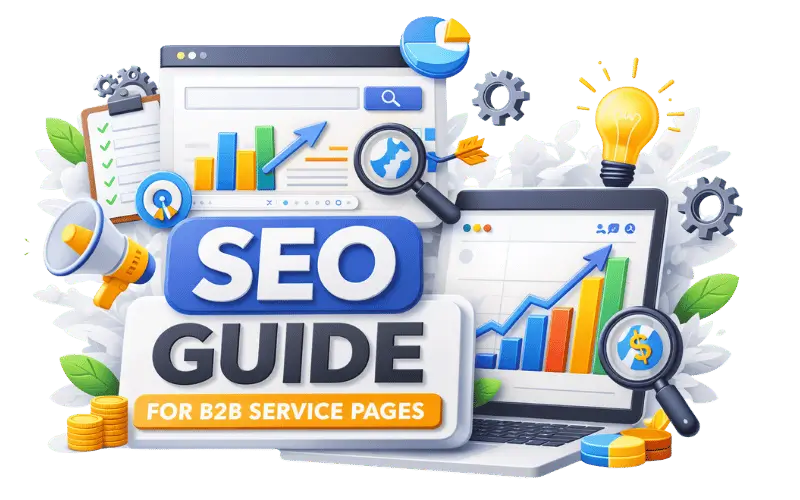
Many B2B websites have service pages that say what the company offers but give visitors little reason to continue reading.
That creates a gap between ranking for service-related searches and helping someone evaluate the service.
A better approach is to build the page around the actual service and the questions a potential buyer needs answered.
1. Choose a Service With a Clear Search Purpose
Start with a service that has a genuine business purpose and a distinct search intent.
For example, a SaaS business offering CRM implementation can create a dedicated page for that service instead of trying to cover every CRM-related search on one page.
Before creating the page, check:
- Whether the business genuinely offers the service
- Whether people search for the service
- Whether the page has a distinct purpose
- Whether there is enough useful information to support it
2. Match the Page With Search Intent
Understand what the searcher expects before deciding what the page should contain.
Someone searching for payment gateway development services is looking for a provider or evaluating the service.
Someone searching for what is a payment gateway is looking for educational information.
The first query fits a service page. The second is better suited to informational content that can support the service page through internal linking.
3. Explain the Problem the Service Solves
The page should explain why the service matters to the intended buyer.
For example, an industrial equipment maintenance service page can explain the maintenance problems the provider handles and the type of business the service is designed for.
Make these points clear:
- What problem the service addresses
- Who the service is for
- What the provider handles
- What the engagement involves
4. Give the Service Enough Depth
A service page should go beyond a short definition of the offering.
Useful depth can come from:
- Service scope — what is included
- Process — how the work is handled
- Requirements — what the client needs to provide
- Deliverables — what the client receives
- Expertise — experience relevant to the service
For example, a SaaS implementation service page can explain the work included in implementation, the systems involved, and what the client receives during the engagement.
5. Add Relevant Industry Context
Industry context can make a service page more useful when the service has different requirements across sectors.
For example, a fintech software development service page can explain considerations relevant to financial software projects.
A manufacturing service page may need to address production environments or technical requirements instead.
Use industry context when it helps the buyer understand the service.
6. Support the Service With Relevant Content
A service page does not need to answer every related question in detail.
Supporting content can cover subjects that deserve a separate explanation.
For example, a SaaS implementation page could link to a detailed article about SaaS data migration.
Supporting content can cover:
- Technical questions
- Implementation topics
- Cost considerations
- Comparisons
- Industry-specific questions
7. Add Proof That Supports the Offering
B2B buyers often look for evidence before choosing a service provider. Adding relevant proof to your service pages can make your claims more credible and help visitors understand what you can deliver.
Relevant proof can include:
- Case studies
- Client examples
- Service-specific experience
- Certifications where applicable
- Clear deliverables
- Relevant results or outcomes
Keep the proof closely related to the service being offered. A general testimonial may not be as useful as a case study that covers the same service or industry.
For example, a manufacturing SEO service page can link to a relevant manufacturing SEO case study.
This gives potential clients a more specific example of the type of work involved instead of relying only on general claims about experience.
8. Use Internal Links With a Purpose
Internal links should help visitors reach information that supports their current question.
A service page can link to:
- Relevant guides
- Case studies
- Related services
- Industry pages
- Comparison content
For example, a logistics service page could link to a relevant logistics SEO guide when the article provides useful context for the buyer.
Avoid adding links simply because another page contains a matching keyword.
9. Keep Similar Service Pages Distinct
B2B websites often have closely related services that can start sounding almost identical.
Each page should have its own search purpose, service scope, audience, and supporting information.
If two pages target the same search intent and explain almost the same offering, combining them can create a clearer resource.
This also helps prevent unnecessary duplication across the website.
10. Give the Buyer a Clear Next Step
After explaining the service, make it easy for the visitor to continue.
Depending on the service, the CTA could invite them to:
- Request a consultation
- Ask for a quote
- Book a discovery call
- Discuss project requirements
The CTA should be easy to understand and directly connected to the service.
This gives the buyer a clearer path from evaluating the service to starting a conversation.