B2B Free Trial and Demo Request Pages: Ranking Guide
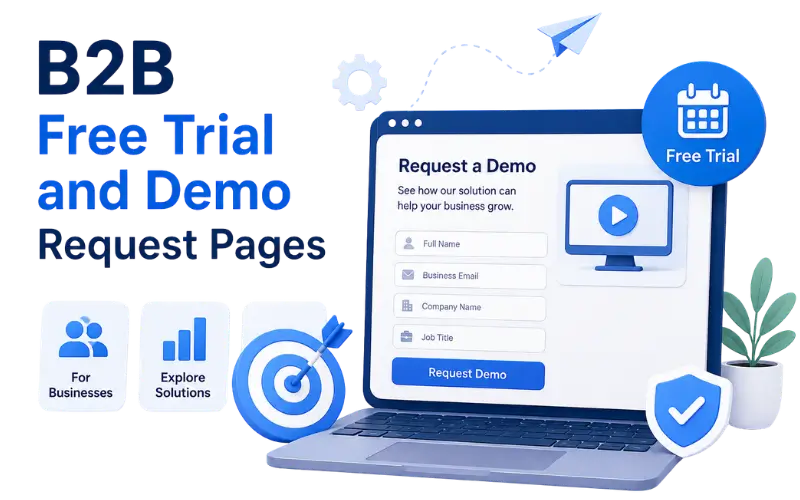
A free trial page and a demo request page look similar at first glance. Both sit near the bottom of a buyer’s journey.
Both are supposed to turn interest into action. But they aren’t the same page.
Treating them as interchangeable can be a mistake in B2B SEO.
Trial Pages and Demo Pages Serve Different Buyers
A free trial page assumes the buyer can evaluate the product mostly on their own. A demo request page assumes the buyer needs a person to walk them through it first.
This difference usually comes down to product complexity and price point. A simple, lower-cost tool tends to lean on trials.
A complex product, especially one that is expensive or highly configurable, tends to lean on demos. The buyer may need guidance to judge whether it fits.
Some B2B companies offer both, aimed at different segments of their audience. A small team might self-serve through a trial.
An enterprise buyer, meanwhile, may get routed toward a demo instead. Same product, two different front doors.
How This Plays Out Across Different B2B Industries
The right choice and page structure can shift depending on the industry and the product being sold.
| Industry | Typical Approach | Why It Fits |
|---|---|---|
| Project management software | Free trial | Often simple enough to explore without guidance |
| Enterprise HR software | Demo request | Pricing may depend on company size and need scoping |
| Marketing automation tools | Both, split by size | Small teams may self-serve, while larger teams need setup help |
| Cybersecurity software | Demo request | Buyers may need to see how it fits their existing setup |
| Accounting or finance software | Free trial | Buyers may want to test it with familiar workflows |
| Logistics or supply chain software | Demo request | Setup may involve integration work |
| Design or creative tools | Free trial | Buyers can often judge the value by using the product |
| Sales or CRM software | Both, split by size | Small teams may try it, while larger teams want guidance |
Simpler products often lean toward trials. Complex or highly customised products are more likely to rely on demos.
How to Actually Rank These Pages Across B2B Industries
Getting a trial or demo page built is one thing. Helping it appear for relevant searches is a separate job.
Target the Phrases Buyers Type
Buyers looking for a trial or demo may search phrases such as “[product name] free trial” or “[product name] demo.”
The page title and main headline should make that offer clear. A vague headline like “Get Started Today” does not explain whether the page is for a trial or a demo, which can make it less relevant to the intended search.
Separate the Trial Page From the Demo Page When Needed
Some B2B sites combine both options on one page, with a trial button and a demo button sitting side by side.
This can confuse the page’s purpose when the two options serve different buyers. In that situation, separate pages may work better because each one can focus on its own search intent.
A combined page can still make sense when both options serve the same audience and the difference is explained clearly.
Use the Category Term, Not Just the Brand Name
A demo page focused only on the company’s brand name may mainly reach buyers who already know the product.
Including the product category, such as “HR software demo” or “cybersecurity demo,” can give the page more context for buyers who are still comparing options.
The category term should fit naturally into the page rather than being repeated only for SEO.
Answer the Specific Hesitation That Industry Has
Buyers in each industry may have a particular concern before starting a trial or booking a demo. Finding that concern and answering it directly can make the page more useful.
A few examples of this pattern across different industries:
- A finance tool might need to explain whether a trial connects to live bank data
- A security tool might need to clarify what data gets shared during a demo
- A logistics platform might need to explain the expected implementation timeline
- An HR platform might need to confirm whether existing employee data can be imported
Finding this hesitation usually means asking the sales team what questions come up most often before someone signs up.
When the answer is important to the buyer’s decision, it should appear directly on the page rather than being buried in a separate FAQ.
Build Supporting Content Around the Same Search Intent
A trial or demo page can be supported by content that answers related questions.
For example, one page might explain what happens during a demo call. Another could describe which features are included in a free trial.
This supporting content may rank for related searches and direct suitable visitors toward the main page.
The content will differ by industry, but the basic approach remains similar.
Keep the Page Fresh as the Offer Changes
Trial length can change as a company adjusts its offer. The demo format may change too, while included features can be updated over time.
A page still describing a 30-day trial after the company has moved to 14 days can create confusion when someone notices.
A periodic check with the sales or product team can help keep the page accurate.
Structuring a Free Trial Page
A trial page needs to reduce unnecessary friction. The point is to let someone start using the product without a long delay.
The signup form should ask for the fewest fields needed at that stage. Every extra field can make the process feel more demanding.
A project management tool, for example, might only need an email and password to start. Company details can come later, inside the product itself.
Clear expectations about trial length matter too. A buyer may hesitate when they do not know whether they will be charged automatically at the end.
A short video or interactive preview showing the product in action can help someone decide before starting the trial.
Common elements worth including on a strong trial page:
- A short, clear headline stating what the trial includes
- A signup form with the fewest necessary fields
- A visible note on trial length and what happens afterward
- A short product preview, video, or screenshot sequence
- A clear next step once the trial form is submitted
Structuring a Demo Request Page
A demo page needs to do something different from a trial page. It usually has to qualify the buyer rather than remove every possible form field.
Asking for company size can help route the request to the right salesperson. The buyer’s role may also provide useful context, while a question about their use case can help prepare for the call.
An enterprise HR software company, for example, might ask how many employees the buyer manages. That number may help determine which product tier is relevant.
A calendar booking tool embedded directly on the page can make the next step clearer than a generic “we’ll be in touch” form.
Showing who the demo is for, such as “built for teams of 50 or more,” can help buyers decide whether they are a suitable fit.
Common elements worth including on a strong demo page:
- A short headline naming who the demo is built for
- A form asking only what is needed to qualify and route the request
- An embedded scheduling tool for choosing a time
- A note on what to expect during the call
- Social proof relevant to the buyer’s industry or company size
Writing Content That Ranks for These Pages
Both page types can target relevant search terms, but the terms may differ by industry and intent.
Someone searching “[product] free trial” probably already knows the product and wants to try it. In that case, the trial page may be a more relevant result than the homepage.
Someone searching “[category] demo” or “[category] software demo” may still be comparing several vendors.
For cybersecurity software, content explaining what happens during a demo can answer questions about the sales process.
For accounting software, content explaining what the trial includes can address concerns that might otherwise delay signup.
Handling the Technical Side of Trial and Demo Pages
These pages often rely on forms or interactive elements. If they are not built carefully, important content can become harder for search engines to process.
A trial signup form built entirely in JavaScript, with no descriptive content around it, may leave limited information in the initial HTML.
Keeping product information and supporting text available outside the form can reduce this problem.
Demo booking widgets from third-party tools may also load slowly. Testing the page without the widget can show whether the core message still remains clear.
A few things worth checking on both page types:
- Whether the page’s main headline and description are available to crawlers
- Whether the form or booking widget loads without blocking the rest of the content
- Whether the page has a clear and unique title tag
- Whether the page loads without unnecessary delays
Reading Whether These Pages Are Working
Traffic to a trial or demo page says little without looking at what happens after someone arrives.
For trial pages, trial-to-paid conversion can be more useful than trial starts alone. A page generating many signups that rarely convert may be attracting the wrong audience.
For demo pages, comparing booked demos with actual attendance can provide more context than the booking count alone.
A demo page for logistics software, for example, might book many demos that later show low attendance. That pattern may suggest the page needs clearer qualifying language earlier on.
A few signals worth tracking over time:
- Trial-to-paid conversion rate, broken down by traffic source
- Demo booking rate compared with actual attendance
- Time between form submission and the buyer’s first real action
- Drop-off point on the form itself, when that data is available
Free trial and demo request pages can support a B2B SEO strategy when the page type matches how buyers in that industry make decisions, rather than when a company simply defaults to whichever format feels easier to build.