SEO for Specific Model Number Searches in Manufacturing
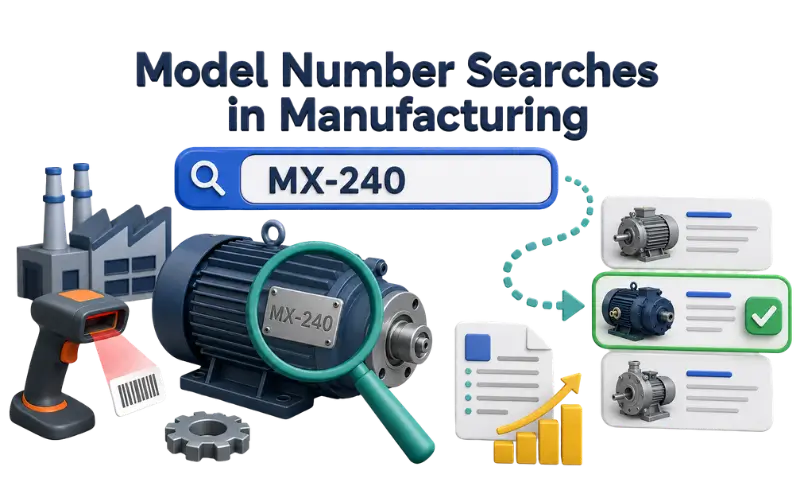
Manufacturing buyers often search for a product using an exact part number or model number. They may find the code on a machine, maintenance record, or previous purchase order.
When they reach your website, they want to know one thing: is this the product I am looking for? The page should make that easy by showing the product name, identifier, key specifications, and current status.
Decide Which Identifiers Need Pages
Not every product code needs its own page. A separate page makes sense when the code identifies a specific product with its own specifications and buyers may search for that code.
An internal warehouse code does not need an indexable page if customers never use it.
Before creating a page, ask:
- Does this code identify a product that buyers can request?
- Does the product have enough information to separate it from similar products?
- Will someone searching this code find the correct product on this page?
If several codes represent small variations of the same product, one product-family page may be better. A table can show the different options without creating many pages with almost the same content.
Connect the Code to the Product
A part number alone does not tell a new visitor much. Show it next to the product name so the buyer can quickly confirm what the code refers to.
Example:
PV-4500-SS Stainless Steel Pressure Valve
Part number: PV-4500-SS
Model family: PV-4500
The first information on the page should make the product easy to identify. Someone searching for an exact code is usually looking for a specific product rather than general information about the product category.
Use the official identifier consistently across the page and technical documents.
If buyers also use a version without hyphens, such as PV4500SS, you can include it where it helps. Do not add random variations just to repeat the identifier.
Provide Enough Information to Confirm the Item
The page should include the details buyers need to tell the product apart from similar items. The required information will depend on the product.
For example, a valve may need its pressure rating and connection type. A bearing may need its bore size and load rating.
Product Details
| Detail | Example |
|---|---|
| Part number | PV-4500-SS |
| Material | Stainless steel |
| Maximum pressure | 450 bar |
| Connection | 1/2-inch BSP |
| Temperature range | -20°C to 120°C |
| Status | Available for quotation |
Add the relevant drawing or datasheet when it helps buyers confirm the part. Important specifications should still appear as text on the page.
Do not place all important information inside a PDF. Buyers should be able to check the main specifications without opening another file. Keeping the information on the page also makes it easier to update when product details change.
Organize Close Variants
Product codes often change slightly when the material, size, or configuration changes. Make these differences clear on the page.
Example
| Part number | Difference |
|---|---|
| PV-4500-CS | Carbon-steel body |
| PV-4500-SS | Stainless-steel body |
| PV-4500-SS-BSP | Stainless-steel body with BSP connection |
A separate page can make sense when each variant has different specifications and supporting documents.
If only a small option changes, keeping the variants on one page may be clearer. The page should explain what each version means so buyers do not have to guess from the code.
Google supports structured data for product variants. However, the visible page should still explain the relationship between the variants.
Keep Discontinued Codes Useful
Old part numbers can continue to appear in maintenance records, manuals, and older purchase documents. Removing these pages without providing useful information can make it difficult for buyers to find the correct product.
A discontinued product page can show the current status and, where confirmed, identify a successor product.
Be careful with replacement claims. Do not call a new part a direct replacement unless the manufacturer has confirmed it. Even small changes in dimensions or operating limits can matter.
If a product page has simply moved to a new URL, a permanent redirect can be appropriate. A discontinued product with no equivalent should not be redirected to an unrelated category.
Add Product Markup Carefully
Product structured data can help search engines understand the information on a product page.
Use mpn for the manufacturer part number and sku for the relevant SKU. Make sure these values match the identifiers shown on the page.
Structured data does not replace the product information on the page. It also does not guarantee a special appearance in search results. Use it to describe information that is already visible to buyers.
Use Search Data to Find Missing Product Pages
Search Console can show the part numbers people use when reaching your website.
Look for searches involving:
- Older part numbers
- Product codes that do not have dedicated pages
- Variations that buyers commonly use
This can help you find products that buyers are already searching for but cannot easily find on the site.
Do not create pages for every internal code. Focus on identifiers that have a clear customer use.
Keep Product Identifiers Consistent
The same product code should refer to the same product across the website.
Check the code in:
- Category pages
- Site search
- Product pages
- Quotation forms
- Technical documents
If the website shows one product for a code but a PDF shows another, buyers may not know which information to trust.
Site search should accept the official product code. It can also recognize a verified variation such as a different spacing or hyphen format when customers commonly use it.
Pay attention to codes with slashes, hyphens, and leading zeros. Some search systems remove these characters.
For example, 0075-A should not automatically become 75-A if both codes could represent different products.
Make the Quotation Process Easier
The product page should make it easy for a buyer to request a quotation for the exact item they are viewing.
The quotation form can carry the product or model number from the page automatically. This reduces manual entry and gives the sales team a clear product reference.
If buyers can request several products at once, allow them to enter each part number and quantity separately.
This is especially useful for manufacturing websites where a buyer may need several components for the same project or maintenance job.
Control Automatically Generated Product Pages
Some product information systems can create a website URL as soon as a new SKU is added.
Set clear publication rules before connecting the product system to the website.
A product page should not become searchable until it has:
- An approved product name
- The correct product status
- The required technical information
- A valid product identifier
Review pages that contain little or no useful product information. Merge accidental duplicates when appropriate, or remove them through the correct technical process.
Do not use a canonical tag simply to hide two different products. Canonicalization is useful for duplicate or very similar URLs. It should not replace proper product-page structure.
Test the Page With a Real Product Search
The final test is simple: use a real product identifier from a maintenance record, purchase order, or technical document.
Search for the code on the website and check whether the correct product appears.
The reviewer should be able to:
- Confirm the product from the identifier.
- Check its current status.
- Find the important specifications.
- Open the relevant technical document.
- Reach the quotation or enquiry option.
If the reviewer has to guess what the code means or search through several pages to find the correct product, the page needs improvement.
A good manufacturing part-number page should make product identification easy. The buyer already knows the code. The job of the page is to confirm that code and provide the information needed for the next step.