
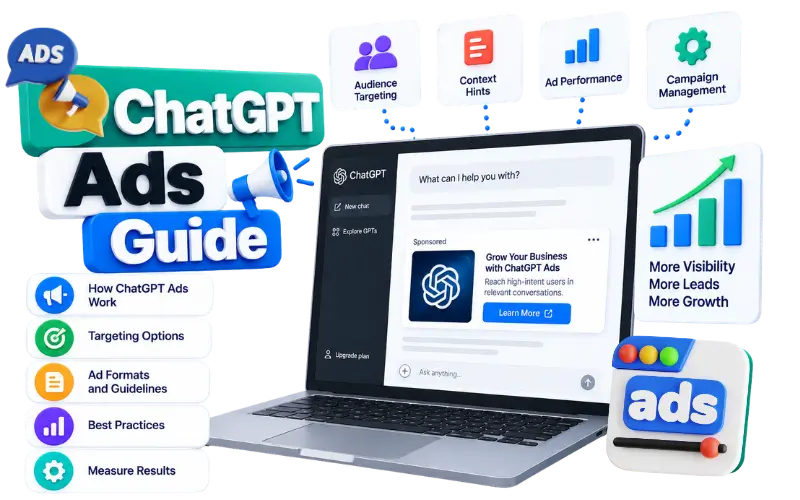
ChatGPT Ads are sponsored placements that appear below relevant ChatGPT responses. Businesses can use these placements to present their products or services to people who use ChatGPT to research a topic or compare options.
1. What Are ChatGPT Ads?
ChatGPT Ads are paid advertisements that appear inside the ChatGPT experience. They remain separate from the answer generated by ChatGPT.
An advertisement can promote:
- A physical product
- A software service
- A local business
- An online course
- A professional service
- A mobile application
The ad can show the advertiser name along with a logo or favicon. It can also include a title, description, image and landing page.
For example, a user may ask ChatGPT about software for managing invoices. A sponsored accounting software advertisement can appear below the response if the advertising system considers the ad relevant to that situation.
The advertisement does not become part of the answer. OpenAI says that advertisers cannot change or influence ChatGPT responses. An ad also does not mean that OpenAI recommends the business.
2. How the ChatGPT Ads Program Developed
ChatGPT Ads started through a gradual testing process.
On January 16, 2026, OpenAI announced plans to test advertisements in ChatGPT. The first US test began on February 9, 2026. The test covered eligible logged-in adults on the Free and Go plans.
The program later expanded into more markets. The main developments included:
| Date | Development |
|---|---|
| January 16, 2026 | Plans to begin testing ads were announced. |
| February 9, 2026 | The first US advertising test began. |
| March 26, 2026 | Expansion plans included Canada, Australia and New Zealand. |
| May 5, 2026 | Beta self-service Ads Manager became available with CPC bidding and measurement tools. |
| May 7, 2026 | Expansion plans included the UK, Mexico, Brazil, Japan and South Korea. |
| August 18, 2026 | ChatGPT Ads expansion across 31 European countries was announced. |
| August 27, 2026 | A phased expansion into India was announced. |
| August 31, 2026 | OpenAI reported that ChatGPT Ads had reached a $1 billion annualized revenue run rate. |
The European expansion covered markets such as France, Germany, Spain, Italy, Ireland, Belgium, Austria, the Netherlands and Switzerland. The rollout status could differ between countries.
India also became an important market for the program. More than 50 brands were expected to participate during the launch week. WPP and Omnicom were identified as the first agency partners for the India rollout.
Self-service access in India was scheduled to open on September 4, 2026. Access can still depend on account eligibility and rollout status.
The European expansion announcement provides the published market information for that rollout. Advertisers should check the latest availability page before creating a campaign.
3. Where Do ChatGPT Ads Appear?
ChatGPT Ads appear below the end of a response. The advertisement remains visually separate from the response text.
A sponsored placement can include:
| Element | Purpose |
|---|---|
| Advertiser name | Identifies the business |
| Logo or favicon | Helps users recognise the advertiser |
| Title | Presents the main offer |
| Description | Adds supporting information |
| Image | Shows the product or service |
| Landing page | Gives users a place to learn more |
Imagine a user asking ChatGPT about ways to improve sleep. A company selling sleep products could create an advertisement with this information:
Advertiser: RestWell
Title: Cooling Mattress for Better Sleep
Description: Find comfortable support for every night.
Image: A mattress in a bedroom
Landing page: restwell.com/cooling-mattress
The user can select the ad and visit the landing page. The ad does not change the advice that appears above it.
The official ad basics explain the current format and the main delivery principles.
4. How ChatGPT Ads Are Selected
Advertisers do not choose individual conversations. They create campaigns and explain where their products or services could be relevant.
The delivery process follows this path:
Campaign created → Ad reviewed → Ad becomes eligible → System evaluates eligible ads → Selected ad appears
The advertising system can consider:
- The current conversation
- The intent of the conversation
- The ad title
- The ad description
- The landing page
- Advertiser-provided context hints
- Campaign targeting settings
- Selected signals from the broader ChatGPT experience when personalisation is enabled
For example, a person may ask about booking a family holiday. A travel company with a relevant offer could become eligible for that advertising opportunity.
Several ads can be eligible at the same time. Relevance and advertiser bids can affect which eligible ad appears first.
A higher bid does not guarantee placement. The ad must also meet the required eligibility and policy conditions.
5. ChatGPT Ads Campaign Structure
ChatGPT Ads uses three main levels:
Campaign → Ad Group → Ad
Each level has a different job.
Campaign
The campaign contains the main business goal. It also controls the overall budget and delivery settings.
A campaign can include:
- Campaign name
- Campaign objective
- Budget
- Start date
- End date
- Target locations
- Excluded locations
- Platforms
- Conversion event
- Custom audience settings
Ad Group
The ad group keeps related ads together. It can represent one product category or one offer.
An ad group can include:
- Ad group name
- Bid strategy
- Default destination URL
- Tracking parameters
- Context hints
- Related ads
Ad
The ad contains the material shown to users. It includes the title, description, image and destination URL.
For example, a business selling project management software could use this structure:
| Level | Example |
|---|---|
| Campaign | Project Management Software Launch |
| Ad group | Teams Managing Remote Projects |
| Ad | Organize Remote Work in One Place |
This example uses a different offer at each level. The campaign describes the wider goal. The ad group focuses on one use case. The ad presents the message users will see.
6. Campaign Objectives
The campaign objective determines how the campaign is delivered and billed.
The current documentation describes three main approaches:
| Objective | Main focus | Billing method |
|---|---|---|
| CPM | Impressions and awareness | Per 1,000 impressions |
| CPC | Website visits | Per valid click |
| oCPC | Tracked actions after a click | Per valid click |
The Ads Manager interface can show a conversion-focused option as Conversions. OpenAI’s documentation describes this approach as oCPC.
Reach or CPM
A Reach campaign focuses on impressions. It can suit a business that wants more people to see a new brand or product.
For example, a skincare company launching a sunscreen range could create this campaign:
Campaign name: Summer Skin Protection
Objective: Reach
Ad group: Daily Sunscreen Routine
Maximum bid: Maximum CPM
The advertiser pays based on impressions. The campaign does not charge the advertiser for every person who buys the product.
Clicks or CPC
A Clicks campaign focuses on visits to a website or landing page.
For example, a language-learning platform could create this campaign:
Campaign name: Learn Spanish Online
Objective: Clicks
Ad group: Beginner Spanish Lessons
Bid strategy: Manual: Max CPC
The advertiser enters the maximum amount that they are willing to bid for a valid click.
Ads Manager can also offer Maximize results. This option allows the system to adjust bids within the available budget.
Conversions or oCPC
A conversion-focused campaign uses a selected event as the desired action.
The event could represent:
- A completed purchase
- A submitted enquiry
- A completed registration
- A booked appointment
- A new subscription
For example, a law firm could track appointment_scheduled after a visitor books a consultation.
The advertiser pays for valid clicks. The advertiser does not pay separately for every conversion.
7. Campaign Budget and Schedule
Ads Manager can offer a daily budget or a campaign-total budget.
A daily budget represents the average amount that the campaign can spend per day over a seven-day period. Actual spending can move above or below the selected amount on individual days.
For example, a campaign with a $100 daily budget could spend $80 on one day. It could spend $120 on another day.
OpenAI’s campaign documentation states that daily spending cannot exceed twice the selected daily budget. Spending across the relevant seven-day period cannot exceed seven times the selected daily budget. Budget changes can affect the final calculation through proration.
The minimum daily budget depends on the billing currency. The current minimum for India is ₹725. The current minimum for the United States is $25.
The India amount is not a fixed charge that appears every day. It is the minimum average daily budget shown for that currency.
A campaign-total budget gives tighter control over the total amount. A daily budget gives more flexibility while the advertiser observes delivery.
The schedule controls when the campaign can run. Enter a start date and an end date when the campaign is connected to a launch or promotion.
8. Locations and Platforms
Campaign targeting controls where the ad can appear.
Depending on the account and location catalogue, advertisers can select:
- Countries
- States
- Regions
- Cities
- Designated market areas
- Postal codes
Location availability can differ between countries.
Advertisers can also exclude locations. An excluded location takes priority over an included location.
For example, a home-cleaning company could target New York State. It could exclude New York City if the company only serves locations outside the city.
Eligible Platforms
Ads Manager allow advertisers to choose one or more platforms:
- iOS App
- Android App
- Web
The advertiser can also choose All platforms.
Web delivery includes desktop web and mobile web.
9. What Are Context Hints?
Context hints are added at the ad-group level. They describe the conversations or situations where a product or service could be relevant.
A context hint can explain:
- What the product offers
- Who the product helps
- When the product may be useful
A basic product term does not provide much detail.
Basic term: office chairs
More useful context hint: Choosing a comfortable chair for working at a desk all day
The second version describes the situation. It gives more information about the type of conversation that could relate to the product.
Context hints can contain descriptions or keywords. They do not work like traditional exact-match keywords.
Context Hints and Search Keywords
Search advertising systems can use broad match, phrase match and exact match. Context hints do not provide those traditional match controls.
| Search keywords | Context hints |
|---|---|
| Focus on search queries | Focus on conversation relevance |
| Can use match types | Do not use traditional match types |
| Often rely on keyword matching | Can describe needs and situations |
| Can use exact-match settings | Do not guarantee delivery for exact words |
A user does not need to type the exact words used in the context hint.
For example, an advertiser can add this hint:
Cushioned everyday running shoes for beginners training for their first 5K
A relevant conversation can use different words while describing a similar need.
Use Separate Ad Groups for Different Offers
An ad group should remain focused on one main product or service.
A home-services company could create separate ad groups for:
- Emergency plumbing repairs
- Residential electrical work
- Air-conditioner maintenance
The company should not place all three offers inside one unrelated ad group. Separate groups make it easier to connect each offer with the correct ad and landing page.
Context hints can describe different needs within the same product area.
For a meal-delivery service the hints could include:
- Healthy lunches for employees working in an office
- Family dinner delivery for busy parents
- High-protein meals for people following a fitness plan
These situations are different. They still relate to meal delivery.
Context Hints Do Not Confirm Buyer Intent
A relevant conversation does not always show that the person wants to purchase.
A person asking about website development prices could be:
- A business owner comparing providers
- A web agency researching competitors
- A writer preparing an article
- A student learning about project costs
The topic remains relevant to web development. The reason for the conversation can still differ.
Context hints help describe possible relevance. They do not identify every user as a buyer.
10. Which Users Can See ChatGPT Ads?
Ads can appear for eligible users on the Free and Go plans in supported markets.
The current guidance states that ads do not appear for:
- Plus accounts
- Pro accounts
- Business accounts
- Enterprise accounts
- Edu accounts
- Accounts identified as belonging to people under 18
- Temporary Chats
Availability can change during the rollout. A Free or Go user might not see ads in every conversation.
Ads also do not appear near sensitive or regulated topics such as personal health or political conversations.
User Advertising Controls
Eligible users can open Settings → Ads controls.
The available controls can include:
- Turning ad personalisation on or off
- Viewing why an ad was shown
- Hiding an ad
- Reporting an ad
- Clearing ads data
- Asking ChatGPT about a selected ad
Turning off personalisation does not automatically remove ads. It changes the signals used to make ads more relevant.
OpenAI says that advertisers do not receive users’ chats. They also do not receive chat history, memories, names, email addresses or personal details.
Advertisers receive aggregated campaign information such as total views and clicks.
11. Create an Advertiser Account
Visit ads.openai.com and sign in with your OpenAI account. You can create an account during sign-up if you do not have one.
Ads Manager will then ask for the following information:
- Legal business name: Enter the official name of the business.
- Business website: Add the website that belongs to the business.
- Industry: Choose the category that best describes the business.
- Country: Select the country connected to the advertiser.
- Currency: Choose the currency for campaign budgets and billing.
- Time zone: Select the time zone for campaign schedules and reports.
- Advertiser type: Choose Business for a company. Choose Individual for a person.
- Agency status: Choose No when promoting your own business. Choose Yes when managing campaigns for clients.
Review the information before creating the advertiser account. The country and currency settings can affect campaign budgets and billing.
Add Billing Information
The billing profile can request:
- Card number
- Expiry date
- CVC
- Cardholder name
- Billing address
- Invoice delivery email
Enter the billing address connected to the payment method.
The campaign cannot deliver ads until the required account and billing steps are complete.
12. Create a Campaign
Open Campaigns in Ads Manager. Select Create campaign from the Create menu.
Enter a campaign name that describes the business goal.
Ads Manager can offer different campaign types.
Standard Campaign
A Standard campaign lets the advertiser add each ad manually.
The advertiser enters:
- Title
- Description
- Image
- Destination URL
Product Feed Campaign
A Product Feed campaign uses information from a connected product catalogue.
The feed can provide product names, prices, images and destination pages. The available fields depend on the catalogue setup.
After choosing the campaign type, select the objective.
Then complete the campaign settings:
- Target locations
- Excluded locations
- Eligible platforms
- Budget
- Schedule
- Conversion event when required
- Landing-page tracking parameters
- Custom audiences when available
For example, an online furniture store could create this campaign:
| Campaign field | Example |
|---|---|
| Campaign name | Home Office Furniture Sale |
| Campaign type | Standard |
| Objective | Clicks |
| Location | Toronto |
| Excluded location | None |
| Platforms | Web |
| Budget | $40 average daily budget |
| Schedule | October 1–15, 2026 |
This example uses a different campaign purpose from the software and travel examples above.
13. Create an Ad Group
After creating the campaign, create an ad group for one focused offer.
Enter:
- Ad group name
- Bid strategy
- Default Ad Destination URL
- Tracking parameters
- Context hints
For the furniture campaign the ad group could be:
Ad group name: Ergonomic Desk Setup
Bid strategy: Maximize results
Default Ad Destination URL: https://example.com/ergonomic-desks
Context hint: People creating a comfortable home office for regular computer work
This ad group focuses on one product area. It does not mix desks with bedroom furniture or outdoor tables.
14. Create an Ad
Open the ad group and choose the option to create an ad.
Enter the ad details:
- Ad name
- Ad Destination URL
- Title
- Description
- Image
- Optional tracking parameters
The ad name helps the advertiser identify the ad in Ads Manager. Users do not normally see it.
The title can contain up to 50 characters. The description can contain up to 100 characters.
Upload a square PNG or JPG image that meets the dimensions shown in Ads Manager. The current setup information used for this guide supports images from 256 × 256 pixels up to 1200 × 1200 pixels.
A suitable ad for a meal-planning application could look like this:
Ad name: Weekly Meal Planner
Title: Plan Simple Meals Every Week
Description: Build your grocery list in a few easy steps.
Destination URL: https://example.com/meal-planner
The landing page should support the same offer. The user should not click a meal-planning ad and arrive on an unrelated company homepage.
15. Review and Submit the Campaign
Ads Manager displays a summary before submission.
Check:
- Campaign objective
- Budget
- Schedule
- Locations
- Excluded locations
- Platforms
- Ad group
- Bid strategy
- Context hints
- Destination URL
- Title
- Description
- Image
- Business logo
The ad can then move through a review process.
Possible statuses include:
- In review
- Approved
- Rejected
If the ad is rejected, read the reason shown in Ads Manager. The issue can relate to the ad copy, image, landing page or business information.
Update the affected part before submitting the ad again.
16. Set Up Conversion Tracking
Conversion tracking connects website actions with ChatGPT Ads activity.
It can measure actions such as:
- Purchases
- Form submissions
- Registrations
- Appointments
- Subscriptions
- Free-trial starts
- App installations
The setup follows this order:
Data source → Measurement Pixel → Conversion event → Event code → Event Stream test → Campaign connection
Create a Data Source
Open Tools → Conversions in Ads Manager.
Select Create → Data Source.
Enter a name for the data source. For example:
Data source name: Dental Consultation Website
Ads Manager then provides a Pixel ID and setup code.
Add the complete setup code near the top of the website’s HTML <head> section.
A WordPress site can use a header-code plugin. A developer can also add the code directly to the site template.
The Pixel setup code connects the website with the selected data source.
Create a Conversion Event
Open the conversion-event form from the Create menu.
Select the data source that belongs to the website.
Choose the base event that matches the action.
For a dental clinic the event could be:
Base event: appointment_scheduled
Conversion name: New Patient Consultation
The base event identifies the action type. The conversion name is the label that appears in Ads Manager.
For a contact form the event could be:
Base event: lead_created
Conversion name: Contact Form Completed
Set the click-through attribution window shown in the form. This window determines how long an earlier ad click can receive credit for a later action.
Add the Event Code
After creating the event Ads Manager provides the event code.
The code must run after the action succeeds.
For example, a lead_created event should run after the visitor submits the form successfully. It should not run when the visitor only opens the form.
A Pixel event can look similar to this:
oaiq(
  "measure",
  "lead_created",
  { type: "customer_action" }
);
The advertiser should use the exact code provided for the selected event.
Use the Conversions API When Available
The Conversions API sends the event from the website backend.
It can help send events that are completed or confirmed by the server. App events such as app_installed and app_opened require the Conversions API.
The API key must remain on the server. Do not add it to HTML or browser-side JavaScript.
The official Ads developer documentation provides the current information about the Measurement Pixel and Conversions API.
Test the Event in Event Stream
Open Tools → Conversions → Event Stream.
Select the correct data source. Then select Start polling.
Starting polling does not create a conversion. It only starts checking for recent events.
Complete the action on the website. For example, submit the contact form that should trigger lead_created.
Event Stream can show:
- Event type
- Custom event name
- Data source
- Received time
- API channel
- Event data
An event appearing in Event Stream confirms that the recent browser event reached OpenAI.
It does not confirm that the event was attributed to an ad.
Connect the Event to a Campaign
Create a campaign with the conversion-focused objective.
Continue to the conversion event field. Select the active event that you created earlier.
A standard event such as order_created or lead_created can be used as the optimisation event.
A custom event can be measured and reported. It might not be available as the optimisation goal for a conversion-focused campaign.
Check the selected event before creating the campaign. The event might not be changeable after campaign creation.
17. Review Campaign Reporting
After the campaign starts the advertiser can review performance in Ads Manager.
The reporting area can show:
- Spend
- Impressions
- Clicks
- CTR
- Average CPC
- Average CPM
- Conversions
The available date filters can include:
- 7 days
- 14 days
- 30 days
- Custom range
The advertiser can also select a campaign or apply available segments.
A campaign that spends $300 and records 12 conversions has a calculated cost per conversion of $25.
Cost per conversion = Total spend ÷ Total conversions
The conversion number includes actions that meet the applicable attribution requirements. It does not represent every action that occurred on the website.
If an action qualifies for both click-through and view-through attribution the click-through attribution receives priority.
18. Keep the Campaign Updated
Campaign changes should follow the data shown in Ads Manager.
| What you notice | What to check |
|---|---|
| No impressions | Review approval status and campaign dates. |
| Impressions but few clicks | Review the title and image. |
| Clicks but no conversions | Check the landing page and event code. |
| High CPC | Review the bid strategy. |
| Fast budget usage | Review the bid and budget. |
| Irrelevant traffic | Review the context hints and destination page. |
Do not change every setting at the same time.
For example, if a tutoring ad receives impressions but few clicks, update the title first. Review the results again before changing the bid and budget.
If the ad receives clicks but no registrations, check whether the registration event fires correctly. Then review the landing page form.
19. Frequently Asked Questions
Are ChatGPT Ads recommendations?
No. They are paid placements. An advertisement does not mean that ChatGPT recommends the business.
Do ChatGPT Ads change the answers?
No. Ads operate separately from ChatGPT responses.
Can advertisers read user conversations?
No. Advertisers do not receive user chats or personal details. They receive aggregated performance reporting.
Do context hints work like exact-match keywords?
No. Context hints do not use traditional exact-match controls.
Do context hints guarantee delivery?
No. They help describe when an advertisement could be relevant. They do not guarantee delivery.
Do advertisers pay for each conversion?
No. Conversion-focused campaigns are billed for valid clicks.
Can a Reach campaign use conversion tracking?
Yes. Conversion tracking can be added for measurement. It is required when the campaign uses the conversion-focused objective.
What does Event Stream confirm?
Event Stream confirms that a recent event reached OpenAI. It does not confirm ad attribution.
Why is an event missing from Event Stream?
Check the Pixel ID. Check the data source. Confirm that the code runs after the action succeeds. Also check whether consent settings allow the event to be sent.
Can users remove ads?
Eligible users can choose the ad-free Free experience when it is available. They can also upgrade to an ad-free paid plan.
Can users hide a single ad?
Yes. Users can open the ad menu and choose Hide ad.