SaaS Feature Page SEO: How to Rank Product Features
A general product page explains what the software does. A feature page focuses on one specific capability and the problem it solves.
For example, a project-management platform may offer task management, time tracking, workload planning and automated reporting. Placing every capability on one product page makes it difficult to fully answer searches such as “project management software with time tracking” or “automated project status reports.”
Separate feature pages give the company enough space to explain these capabilities properly. However, a SaaS company should not create a page for every button or minor setting inside its product.
Decide Which Features Need Separate Pages
Consider creating a separate feature page when the feature meets several of these conditions:
- Potential customers search for the feature.
- The feature solves a distinct business problem.
- Sales prospects regularly ask about it.
- The feature requires more explanation than the main product page can provide.
- It supports a specific use case or purchasing requirement.
Suppose an accounting platform automatically matches bank transactions with recorded expenses. “Automated bank reconciliation” could support a complete page because buyers may search for that capability and compare it across accounting products.
Changing the dashboard colour would not normally justify a dedicated SEO page.
Match Each Page With a Clear Search Need
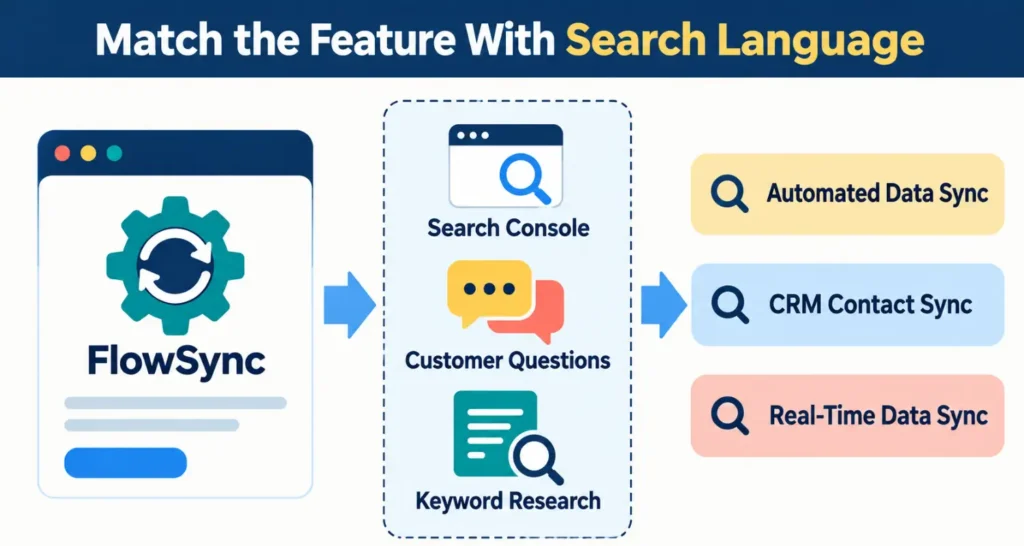
Feature keyword research should begin with the language customers use, not the internal name assigned by the product team.
A company may call its feature “FlowSync,” while potential customers may use search terms such as:
- Automated data synchronization
- CRM contact synchronization
- Sync customer data between applications
- Real-time CRM data sync
Confirm the final keyword choice through Search Console, customer conversations and keyword research rather than assuming that every variation has meaningful demand.
The page can mention the branded feature name, but its title, heading and explanation should use words that potential customers understand. Google also recommends using the terms people would use when looking for the content and placing them in prominent locations such as the title and main heading. This appears in its Search Essentials guidance.
Explain More Than the Feature Definition
A feature page should answer the questions a buyer needs to evaluate the capability.
What the Feature Does
Start with a direct explanation. Avoid opening with broad statements about productivity or digital transformation.
For example:
The automated time-tracking feature records the time spent on assigned tasks and adds the entries to each project report.
This gives the reader a concrete description before presenting benefits.
Who Needs It
Identify the relevant user without turning the page into a generic industry page.
A workload-management feature might help project managers distribute tasks across team members. An approval feature might be more relevant to finance, legal or procurement teams.
How It Works
Show the main process through screenshots, a short video or a simple sequence of steps.
Google recommends keeping important information available as text instead of presenting it only through images or videos. This guidance appears in its documentation for websites appearing in AI search features.
What the User Can Control
Explain settings, limits and permissions. A page about automated reports could state:
- Which data can be included
- Whether reports can be scheduled
- Which file formats are supported
- Who can create or receive reports
- Which subscription plans include the feature
These details help the page answer genuine product questions.
Connect the Feature With Relevant Use Cases
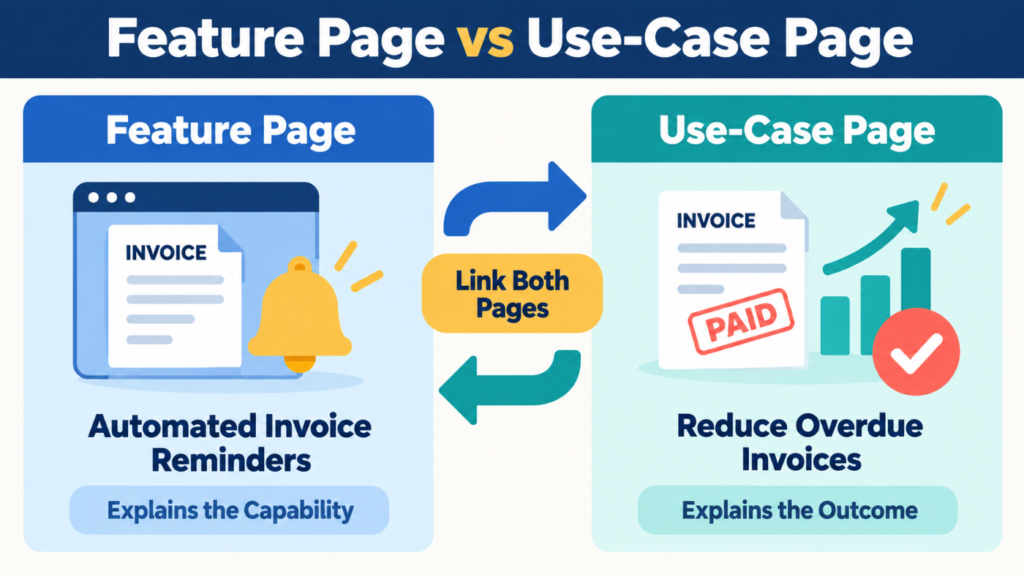
A feature and a use case are related, but they do not answer the same question.
A feature page explains a capability such as automated invoice reminders. A use-case page could explain how a freelance agency reduces overdue client payments.
Link the two pages when they provide different information.
Suggested structure:
/features/invoice-reminders//use-cases/reduce-overdue-invoices/
The feature page can link to the use case as a practical application. The use-case page can link back to the feature that enables the process.
Build a Clear Feature Hierarchy
Place individual pages under a central product or features section.
For example:
/features//features/time-tracking//features/workload-management//features/automated-reports/
The main features page should introduce and link to each important capability. Relevant integration pages, use-case pages and help articles can also link to them.
Google states that every important page should receive a link from at least one other page on the website. Its link guidance also recommends descriptive anchor text that helps people and Google understand the linked page.
Avoid Nearly Identical Feature Pages
A common mistake is creating numerous pages in which only the feature name changes.
For example:
- Track employee time
- Track contractor time
- Track designer time
- Track developer time
These pages may repeat the same interface, process and benefits. Create separate pages only when the product works differently or the intended user needs substantially different information.
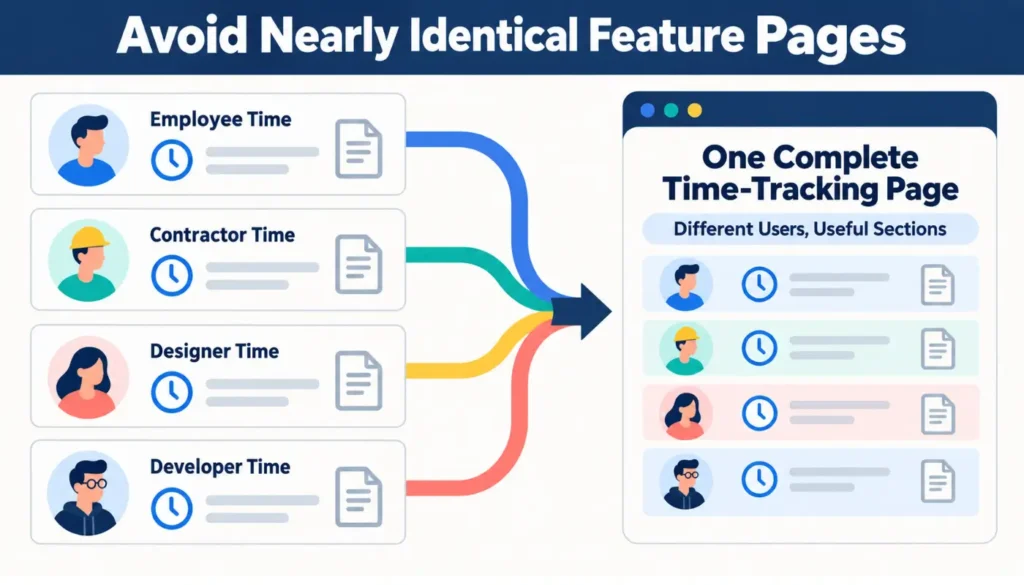
Otherwise, use one complete time-tracking feature page with relevant sections for employees, contractors and project teams.
Feature Page Example
Consider a SaaS platform that offers call transcription.
A useful page could target sales call transcription software and include:
- A direct description of the transcription feature
- Supported languages and recording platforms
- Speaker-identification capabilities
- Search and export options
- CRM integration details
- An example sales-call transcript
- Data storage and permission information
- The plans that include the feature
- A link to the sales-team use case
- A trial or product-demo option
This page gives the visitor enough information to evaluate the actual capability.
Measure Each Feature Page Separately
Track impressions, clicks, trial registrations and demo requests for individual feature URLs. Also check whether a feature page appears for searches related to the intended capability.
If a page appears for unrelated queries, review its title, main heading, copy and internal-link anchors to determine what is creating the mismatch.
If it receives impressions but few clicks, check its average position and displayed search snippet before changing the title. Low clicks do not always mean that the title is unclear.
Suggestion: Begin with five to ten important features that influence buying decisions. Build complete pages for them before expanding the feature section.